move to apreviousquestionmove splitscreencontrol lefthighlightimportanttextused toclick onthingsmove splitscreencontrolrightrefreshthe splitscreencontrolcheckyour workbeforesubmittingcheck youhavecompletedall workscrollup anddownwrite anote foryourselffocus onanimportantpassagemove tothe nextquestionmakethingsbiggerpauseduringthe testSave aquestionto go backCross offwronganswersmove to apreviousquestionmove splitscreencontrol lefthighlightimportanttextused toclick onthingsmove splitscreencontrolrightrefreshthe splitscreencontrolcheckyour workbeforesubmittingcheck youhavecompletedall workscrollup anddownwrite anote foryourselffocus onanimportantpassagemove tothe nextquestionmakethingsbiggerpauseduringthe testSave aquestionto go backCross offwronganswers

Test Prep Bingo - Call List

(Print) Use this randomly generated list as your call list when playing the game. There is no need to say the BINGO column name. Place some kind of mark (like an X, a checkmark, a dot, tally mark, etc) on each cell as you announce it, to keep track. You can also cut out each item, place them in a bag and pull words from the bag.


1
2
3
4
5
6
7
8
9
10
11
12
13
14
15
16
  1. move to a previous question
  2. move split screen control left
  3. highlight important text
  4. used to click on things
  5. move split screen control right
  6. refresh the split screen control
  7. check your work before submitting
  8. check you have completed all work
  9. scroll up and down
  10. write a note for yourself
  11. focus on an important passage
  12. move to the next question
  13. make things bigger
  14. pause during the test
  15. Save a question to go back
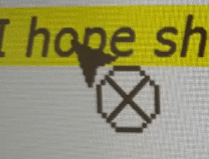
  16. Cross off wrong answers