Alerted youto deliveredpackagesdownstairsPinned yourfavorite appsto thetaskbarHelped youwith multipledevices atonceReminded youthat you cannotprint wirelessly-its a securityissueFoundyou asecondmonitorWorkedon yourpersonalcomputerUnjammedyourprinterSurprisedyou with acomputerupgradeYou haveMac's cellphonenumberTold you a storyabout howsomething usedto happen atJMUSolved yourproblem byrestartingyourcomputerRemindedyou of thebenefits ofan N driveResetyourpasswordSet upOutlookon all yourdevicesHas yourcell phonenumberAlerted youto deliveredpackagesdownstairsPinned yourfavorite appsto thetaskbarHelped youwith multipledevices atonceReminded youthat you cannotprint wirelessly-its a securityissueFoundyou asecondmonitorWorkedon yourpersonalcomputerUnjammedyourprinterSurprisedyou with acomputerupgradeYou haveMac's cellphonenumberTold you a storyabout howsomething usedto happen atJMUSolved yourproblem byrestartingyourcomputerRemindedyou of thebenefits ofan N driveResetyourpasswordSet upOutlookon all yourdevicesHas yourcell phonenumber

Mac Bingo! - Call List

(Print) Use this randomly generated list as your call list when playing the game. There is no need to say the BINGO column name. Place some kind of mark (like an X, a checkmark, a dot, tally mark, etc) on each cell as you announce it, to keep track. You can also cut out each item, place them in a bag and pull words from the bag.

1
2
3
4
5
6
7
8
9
10
11
12
13
14
15
16
17
18
19
20
21
22
23
24
  1. Alerted you to delivered packages downstairs
  2. Pinned your favorite apps to the taskbar
  3. Helped you with multiple devices at once
  4. Reminded you that you cannot print wirelessly- its a security issue
  5. Found you a second monitor
  6. Worked on your personal computer
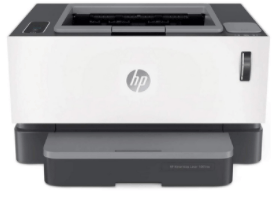
  7. Unjammed your printer
  8. Surprised you with a computer upgrade
  9. You have Mac's cell phone number
  10. Told you a story about how something used to happen at JMU
  11. Solved your problem by restarting your computer
  12. Reminded you of the benefits of an N drive
  13. Reset your password
  14. Set up Outlook on all your devices
  15. Has your cell phone number