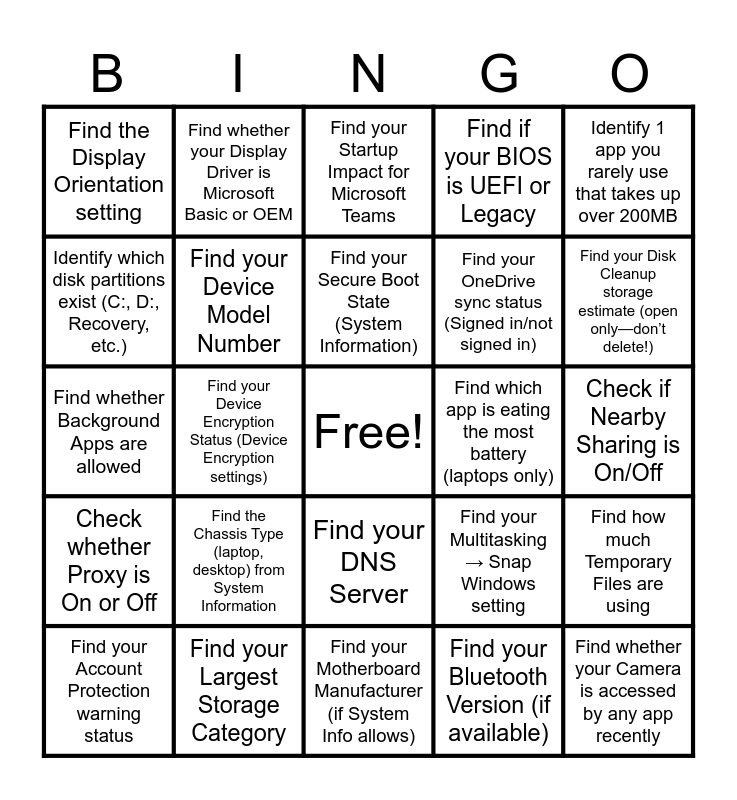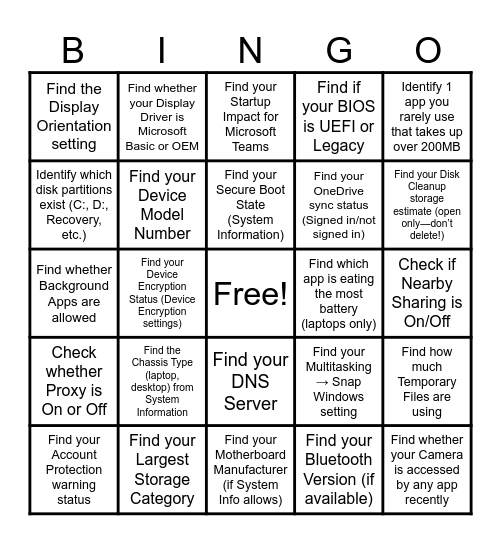
This bingo card has a free space and 109 words: Find your CPU model, Find your OS Build number, Find your IPv4 Address, Find your Link Speed, Find your Browser Version, Find your RAM amount, Find your Storage Capacity, Find your Default Gateway, Find your GPU (Display Adapter), Check if Firewall is On, Find your System Type (32/64-bit), Find your Free Space, Find your GPU Driver Date, Find your Largest Installed App, Find your Windows Edition, Find your File System (NTFS, etc.), Find your DNS Server, Find your Screen Resolution, Find your Startup Apps list, Find your Windows Version, Find your Largest Storage Category, Find your SSID (Wi-Fi Name), Find your Refresh Rate, Find your Last Update Date, Find your Processor Base Speed, Find your Device Model Number, Find your Motherboard Manufacturer (if System Info allows), Find your Total Installed Physical Memory, Find your Virtual Memory / Pagefile Size (if visible in System Info), Find whether your device supports pen or touch, Find your Device Encryption Status (Device Encryption settings), Find your Secure Boot State (System Information), Find if your BIOS is UEFI or Legacy, Find your BIOS Version/Date, Find the Serial Number (if visible & permitted—may be blocked), Find the Chassis Type (laptop, desktop) from System Information, Find your Processor Architecture (x64/x86/ARM), Find your Drive Type (SSD/HDD if visible), Find how much Temporary Files are using, Find how much space Apps & Features use, Identify the Smallest Storage Category, Find the Storage Sense status (On/Off), Find your OneDrive sync status (Signed in/not signed in), Find your Disk Cleanup storage estimate (open only—don’t delete!), Identify which disk partitions exist (C:, D:, Recovery, etc.), Find whether your Wi‑Fi Network is Private or Public, Identify your Wi‑Fi Band (2.4GHz or 5GHz), Find your MAC Address (Physical Address), Find your Network Adapter Name, Check whether Proxy is On or Off, Find your Network Reset button (don’t click!), Find your Hostname / Computer Name, Find your Bluetooth Version (if available), Find your Network Profile Type (Private/Public), Find your Signal Strength (Wi‑Fi properties), Find your HDR setting (On/Off), Find your Night Light status, Find your Graphics Memory (Dedicated Memory value), Find your Monitor Refresh Rate Options, Find the Display Orientation setting, Find whether your Display Driver is Microsoft Basic or OEM, Identify how many Displays your device supports, Find your Scaling Percentage (125%, 150%, etc.), Check whether Smart App Control is On/Off (Windows 11), Find your Ransomware Protection status, Find whether Controlled Folder Access is On/Off, Check Camera Access permissions, Check Microphone Access permissions, Find whether Memory Integrity is enabled (if available), Find your Account Protection warning status, Find your Sign‑in options (PIN, Password, Biometrics), Find your Startup Impact for Microsoft Teams, Find which app is eating the most battery (laptops only), Find whether Background Apps are allowed, Identify your default browser, Identify your default music player, Identify your default PDF viewer, Identify 1 app you rarely use that takes up over 200MB, Find which app was recently updated, Find the app with the oldest version date, Find your Task Manager → Performance → CPU % usage, Find how long your computer has been up (Uptime, Task Manager), Find your Startup Impact for Microsoft Teams, Find which app is eating the most battery (laptops only), Find whether Background Apps are allowed, Identify your default browser, Identify your default music player, Identify your default PDF viewer, Identify 1 app you rarely use that takes up over 200MB, Find which app was recently updated, Find the app with the oldest version date, Find your Task Manager → Performance → CPU % usage, Find how long your computer has been up (Uptime, Task Manager), Identify your Default Playback Device, Identify your Default Recording Device, Find your Microphone Format (44.1 kHz / 48 kHz), Find your Audio Driver Version, Find whether Spatial Sound is enabled, Find whether your Camera is accessed by any app recently, Find your Camera Resolution (if shown), Find your Clipboard History toggle, Find your Focus Assist setting, Find your Multitasking → Snap Windows setting, Check if Nearby Sharing is On/Off, Find your Time Zone, Find whether Automatic Time Sync is enabled, Find your Region Format, Find your Language Pack installation and Find your Cloud Sync Status (OneDrive).
⚠ This card has duplicate items: Find your Startup Impact for Microsoft Teams (2), Find which app is eating the most battery (laptops only) (2), Find whether Background Apps are allowed (2), Identify your default browser (2), Identify your default music player (2), Identify your default PDF viewer (2), Identify 1 app you rarely use that takes up over 200MB (2), Find which app was recently updated (2), Find the app with the oldest version date (2), Find your Task Manager → Performance → CPU % usage (2), Find how long your computer has been up (Uptime, Task Manager) (2)
CompTIA Tech+ Masters | 1.1 Foundations of IT Bingo | iPad Bingo : Level 1 | 1.4 Wireless and Mobile Device Attacks | Getting to Know Your iPad - Can you...?
Share this URL with your players:
For more control of your online game, create a clone of this card first.
Learn how to conduct a bingo game.
With players vying for a you'll have to call about __ items before someone wins. There's a __% chance that a lucky player would win after calling __ items.
Tip: If you want your game to last longer (on average), add more unique words/images to it.