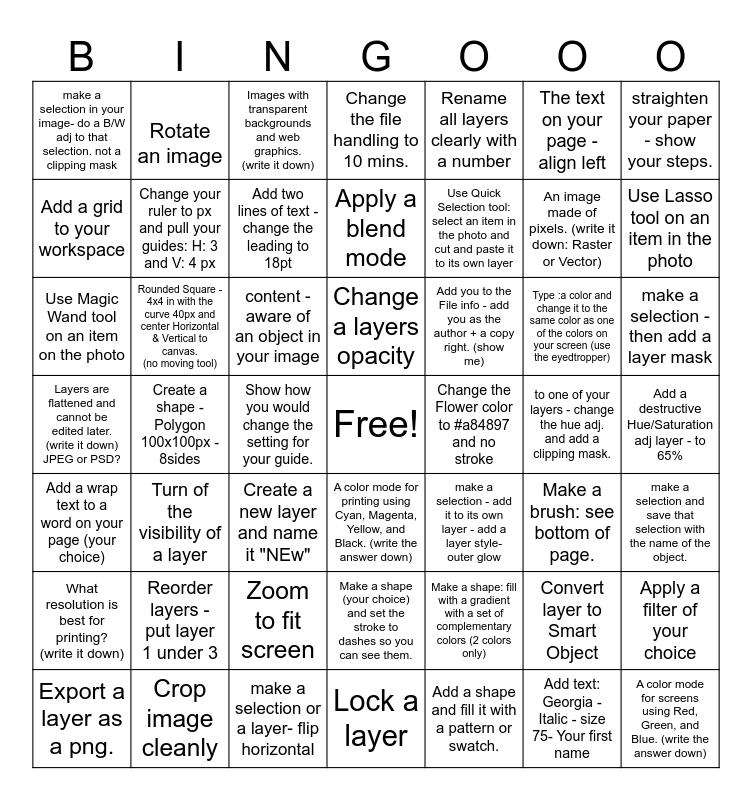
This bingo card has a free space and 55 words: What resolution is best for printing? (write it down), Reorder layers - put layer 1 under 3, Group layers 2 & 3 and name it your first name, Change the file handling to 10 mins., Use Quick Selection tool: select an item in the photo and cut and paste it to its own layer, Convert layer to Smart Object, Use Lasso tool on an item in the photo, Free Transform (scale correctly), Rotate an image, Zoom to fit screen, Apply a blend mode, make a selection - add it to its own layer - add a layer style- outer glow, to one of your layers - change the hue adj. and add a clipping mask., make a selection and save that selection with the name of the object., Add a wrap text to a word on your page (your choice), Crop image cleanly, Add two lines of text - change the leading to 18pt, Change a layers opacity, Add a shape and fill it with a pattern or swatch., An image made of pixels. (write it down: Raster or Vector), make a selection - then add a layer mask, Use Magic Wand tool on an item on the photo, Turn of the visibility of a layer, Images with transparent backgrounds and web graphics. (write it down), one of your shape layers - Rasterize it, The text on your page - align left, Add a destructive Hue/Saturation adj layer - to 65%, Export a layer as a png., Create a shape - Polygon 100x100px - 8sides, content -aware of an object in your image, Custom Shape tool- Flower- shape 44, Change the Flower color to #a84897 and no stroke, Add text: Georgia - Italic - size 75- Your first name, A color mode for screens using Red, Green, and Blue. (write the answer down), make a selection in your image- do a B/W adj to that selection. not a clipping mask, Rounded Square - 4x4 in with the curve 40px and center Horizontal & Vertical to canvas. (no moving tool), Create a new layer and name it "NEw", Lock a layer, Add you to the File info - add you as the author + a copy right. (show me), Make a brush: see bottom of page., straighten your paper - show your steps., Layers are flattened and cannot be edited later. (write it down) JPEG or PSD?, Add a non-destructive Brightness/ Contrast adj, make a selection or a layer- flip horizontal, A color mode for printing using Cyan, Magenta, Yellow, and Black. (write the answer down), Rename all layers clearly with a number, Make a new doc (see below steps), Apply a filter of your choice, Add a grid to your workspace, Change your ruler to px and pull your guides: H: 3 and V: 4 px, Show how you would change the setting for your guide., Make a shape (your choice) and set the stroke to dashes so you can see them., Make a shape: fill with a gradient with a set of complementary colors (2 colors only), Type :a color and change it to the same color as one of the colors on your screen (use the eyedtropper) and Can the lasso tool make geometric shapes? (write down).
Illustrator Bingo | Photoshop Bingo! | Photoshop Bingo! | Photoshop Bingo | Photopea Tools
Share this URL with your players:
For more control of your online game, create a clone of this card first.
Learn how to conduct a bingo game.
With players vying for a you'll have to call about __ items before someone wins. There's a __% chance that a lucky player would win after calling __ items.
Tip: If you want your game to last longer (on average), add more unique words/images to it.